TradeTrawlerTrawl the Deep
Build your personalized Strategy in TradingView. Perfect, tweak and analyze it in the TradeTrawler App.
Build your personalized Strategy in TradingView. Perfect, tweak and analyze it in the TradeTrawler App.
One QQQ long signal from 9 April 2026, replayed. On the left, the BullShark indicator setting it up in TradingView. On the right, the same setup in the TradeTrawler App's replay mode, with a deeper breakdown.
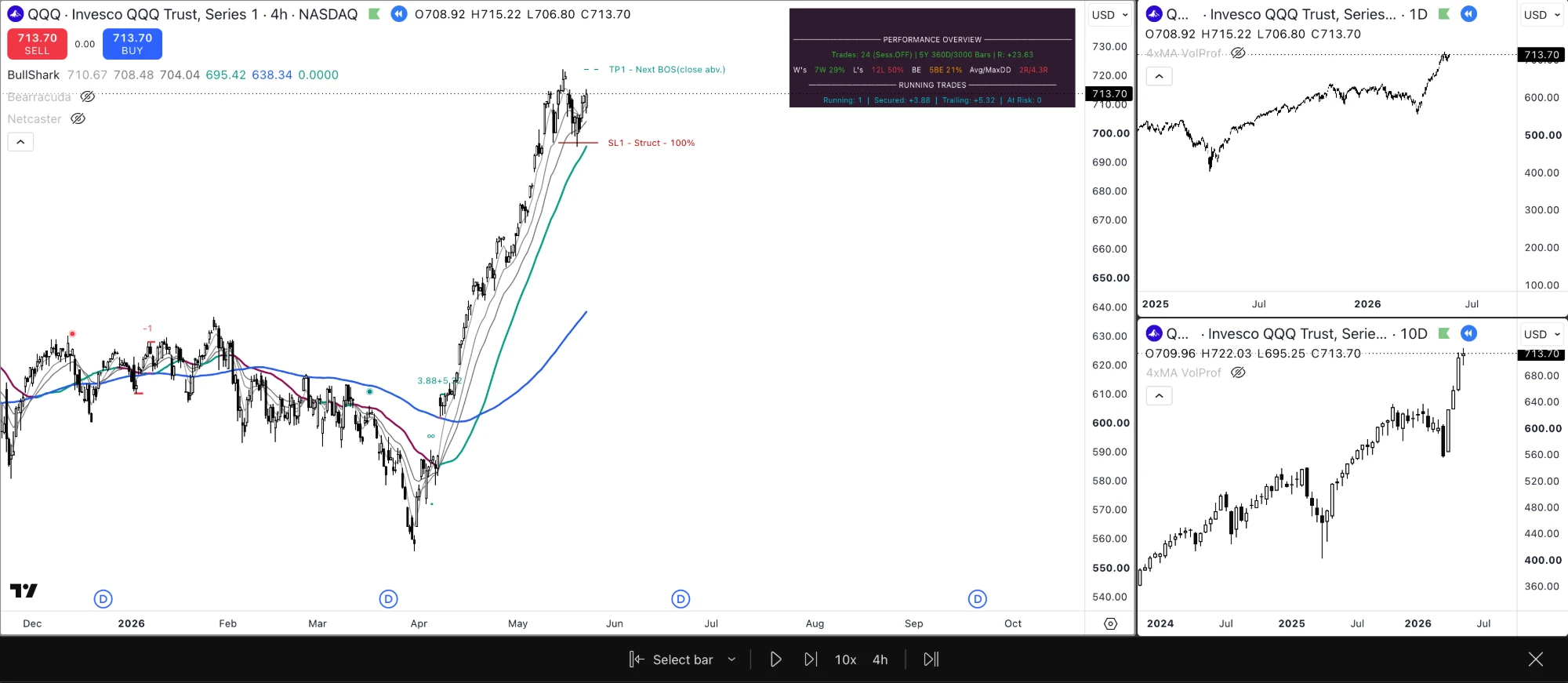

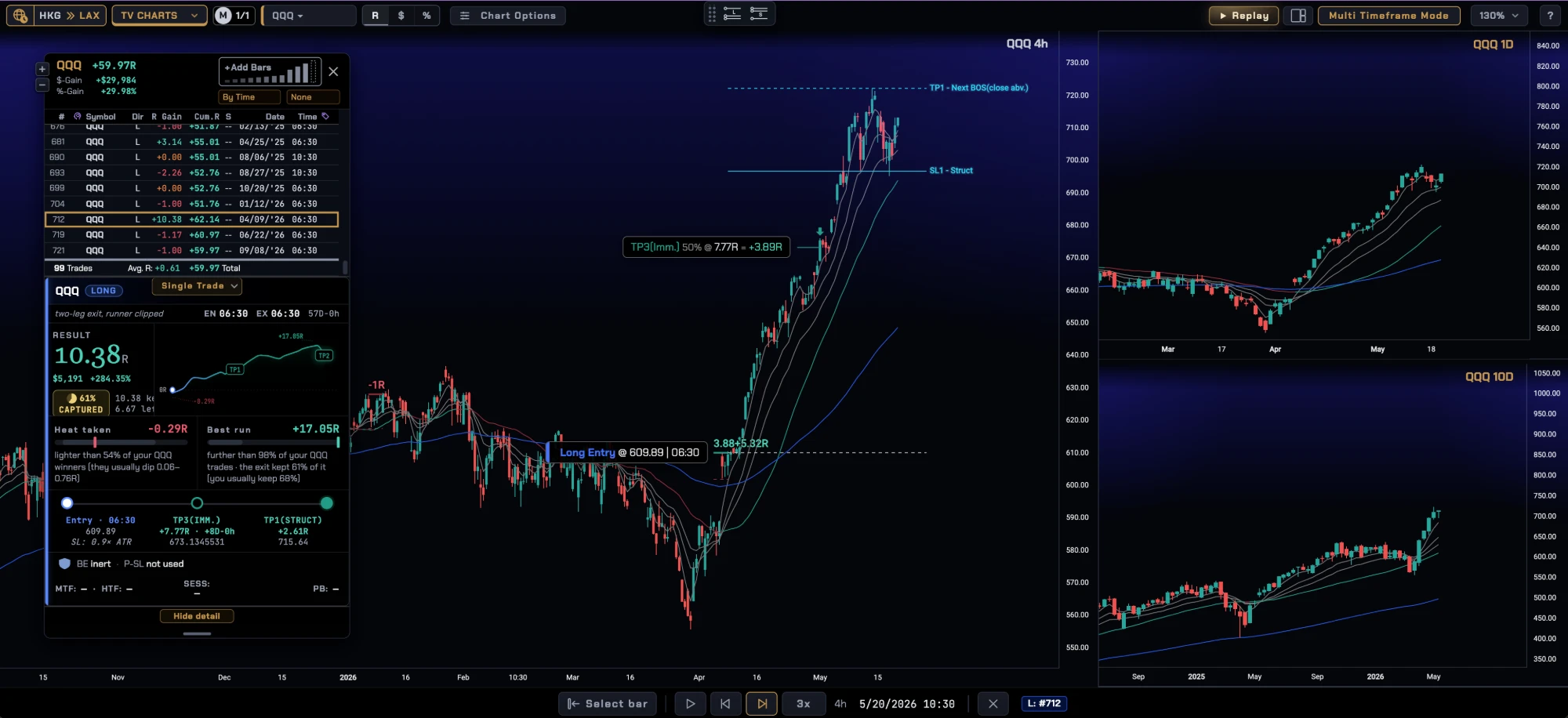
Charts by TradingView. Price charts in the TradeTrawler App use TradingView Lightweight Charts™.
A historical signal, replayed: where BullShark would have set up a trade that day. Nothing was placed or filled. TradeTrawler and its indicators never place orders. Whether and how to act on a signal, on a paper or a real account, is always your decision. Past results, including replayed results, do not predict future ones.
Each indicator has its own Performance Overview table. It tracks not only the open trades but the strategy as a whole: win rate and gain/loss over the lookback history.
Customize each strategy by session, stop-loss tightness, when (and whether) to move to break-even, when and how to take profit, and a number of other advanced settings.
Build strategies that stay out of trades when higher-timeframe conditions are less than ideal. The in-app replay mode lets you review what the higher timeframes were doing at the time of your setup.
Inside the TradeTrawler Strategy Hub, import your indicator settings, then tweak and refine them to suit your personality and trading style. Want to give your trades more room to breathe? Shorten drawdown periods? Take profit off the table earlier? The in-app Simulator and Strategy Advisor help you test settings for any of the above.
TradeTrawler is two things in one subscription:
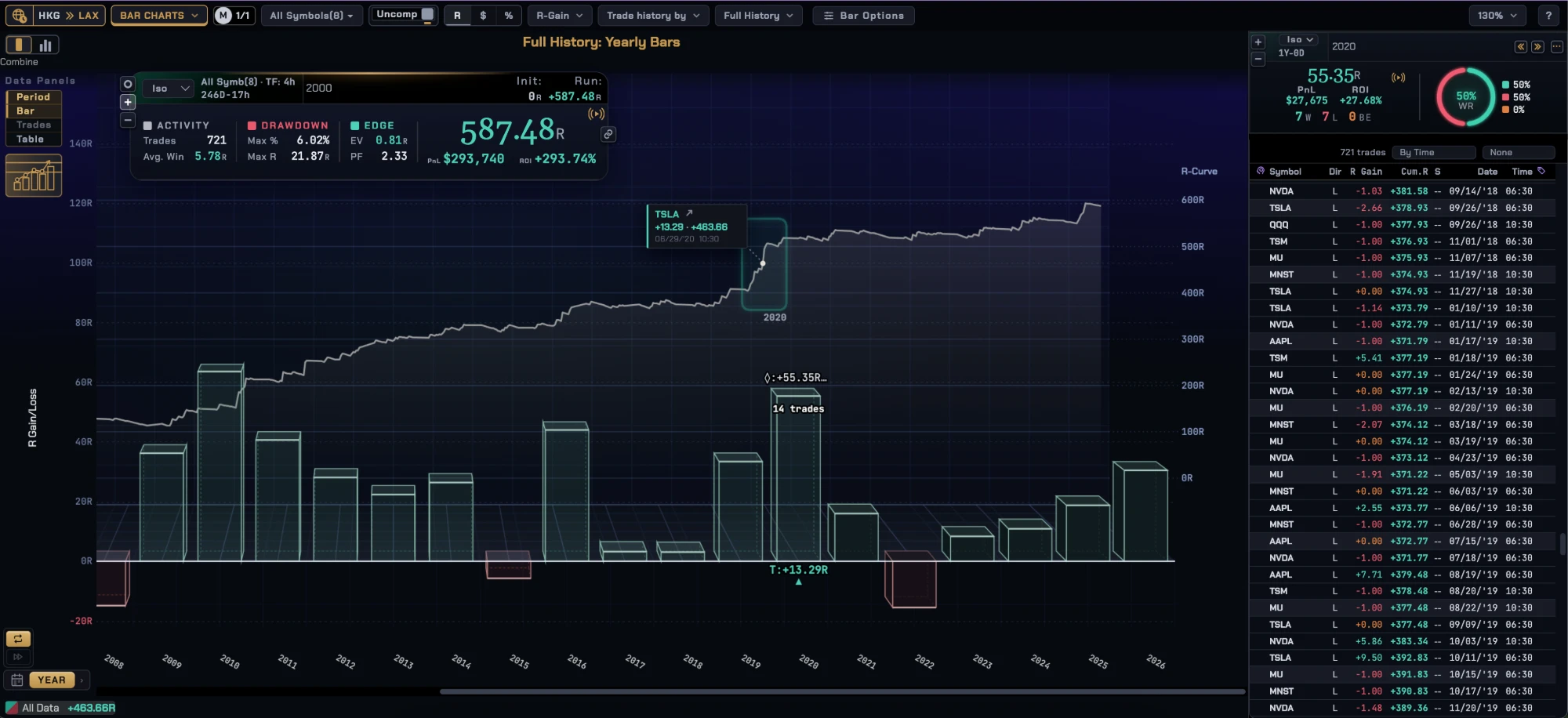
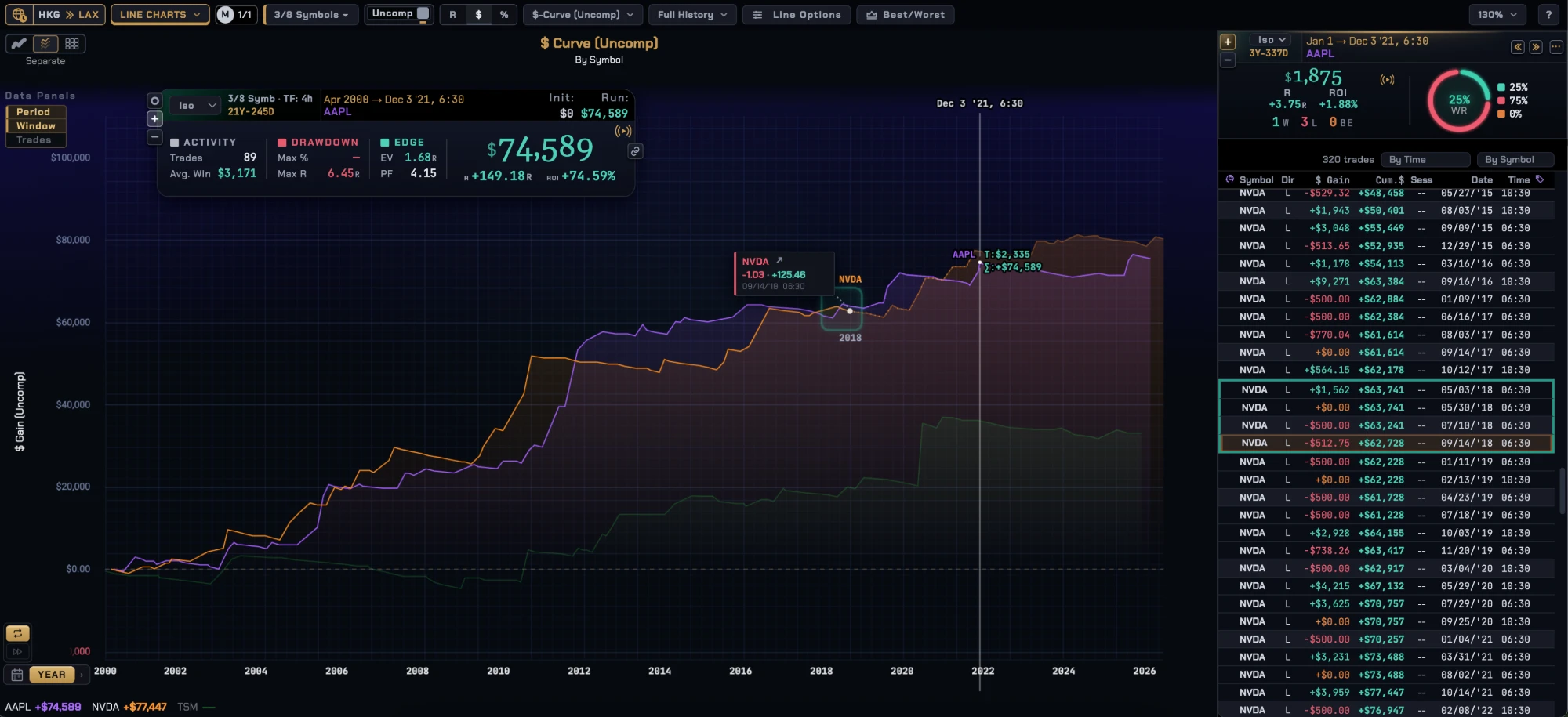
TradeTrawler runs in your own Google account, and your data stays in your own Google Drive.
We never sell your data, use it for advertising, or use it to train AI models. Full details are in our Privacy Policy.
TradeTrawler's use and transfer of information received from Google APIs will adhere to the Google API Services User Data Policy, including the Limited Use requirements.
TradeTrawler is a charting, journaling and back-testing tool. Past results, including replayed results, do not predict future ones. Nothing in TradeTrawler is investment, financial or trading advice. Trading carries a risk of loss; you alone decide your trades. See our Terms of Service.
 MusicPalm